Hi all,
Quick note up front since there’s another unicycle app thread here recently with a similar-sounding pitch: UniLog is a different app from Unicycle Tracker, with a different focus. That one’s about ride-tracking — sensor data, GPS, cadence, power in watts, that sort of thing. UniLog is about logging practice: which specific tricks/skills you’re working on, how much time you’re putting into each one, and your results/PRs over time. Less “how hard was this ride” and more “am I actually getting better at this idle.” Different problem, so hopefully useful to different people (or the same people, for different reasons).
I’ve been learning unicycling for a while now, and like a lot of people here I imagine, I’ve wanted a better way to actually track what I’m practicing. Nothing out there quite fit what I wanted, so I’ve started building UniLog myself.
A quick rundown of what UniLog does so far:
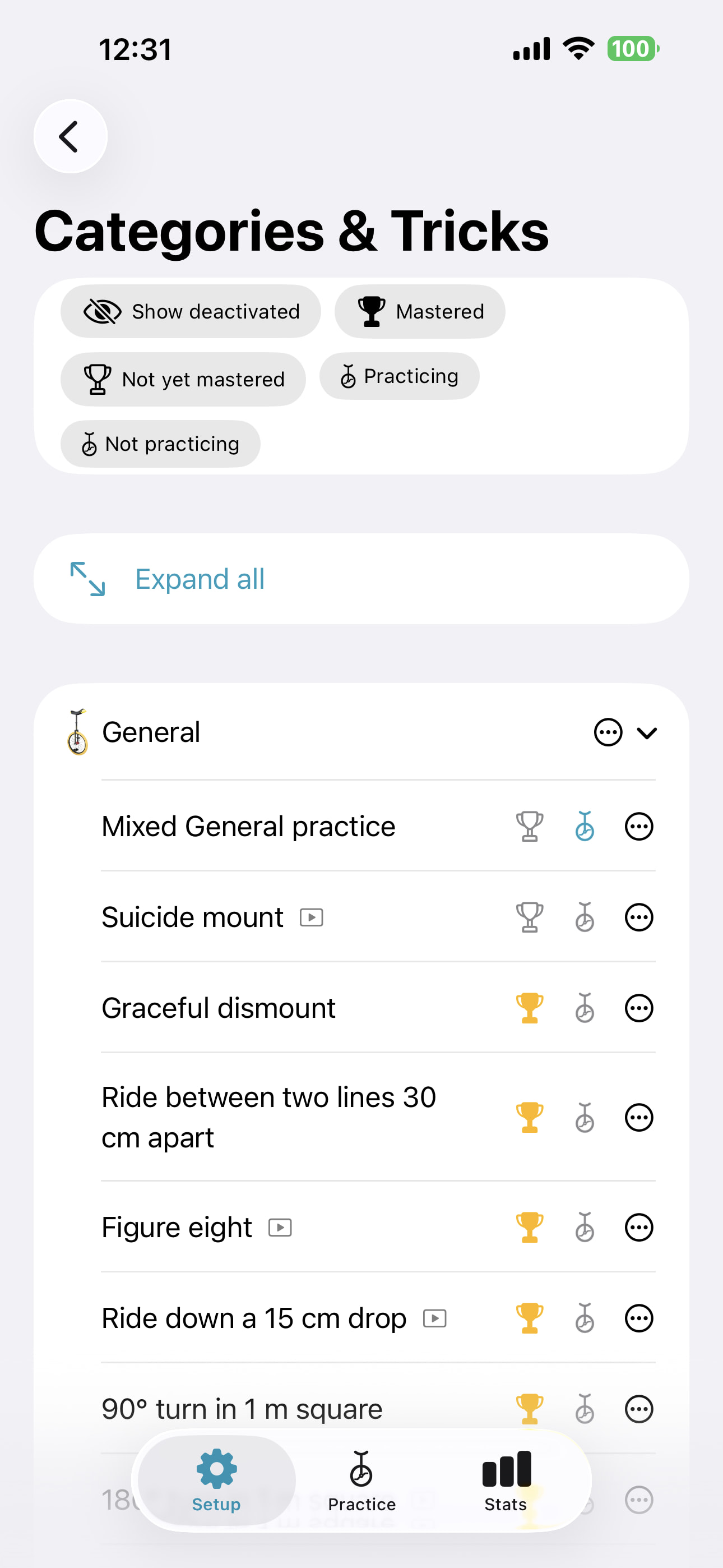
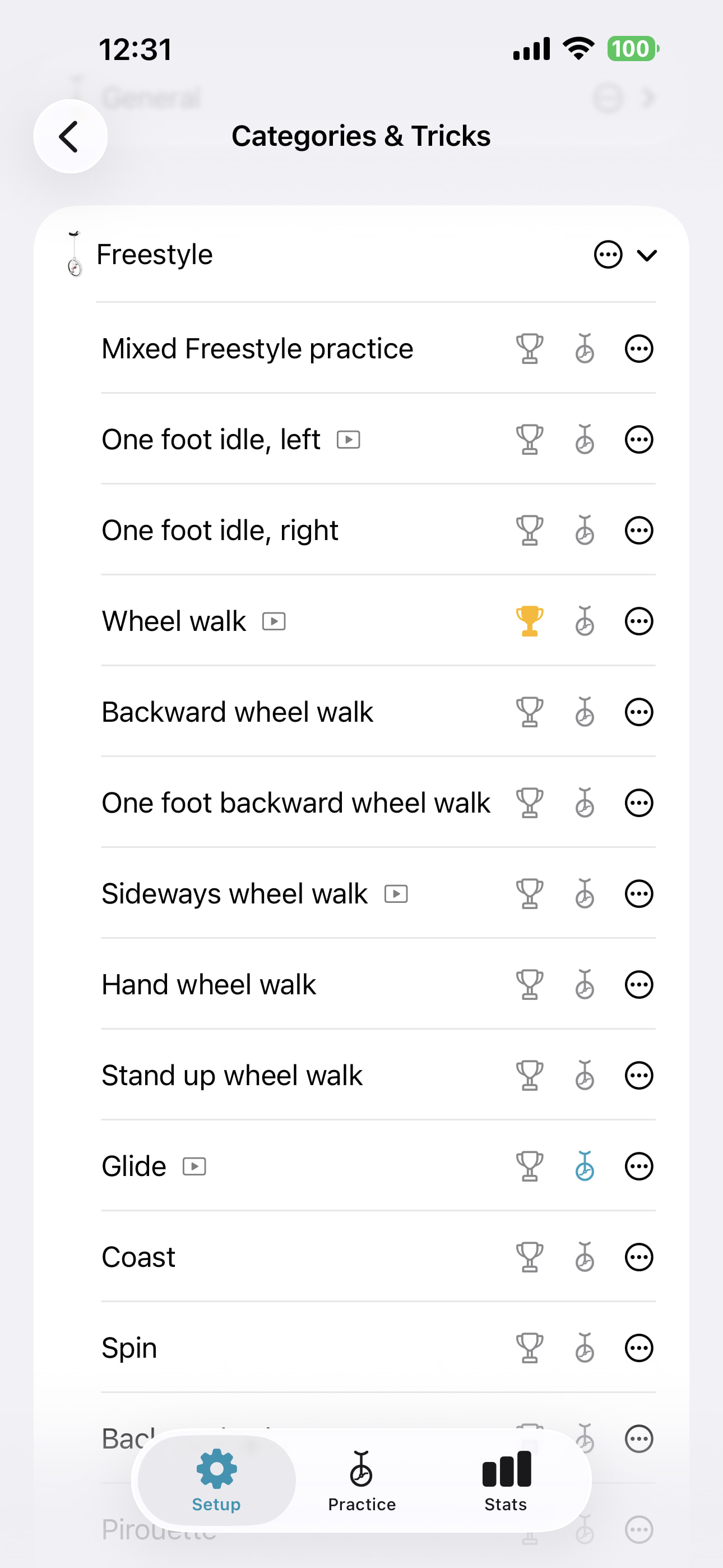
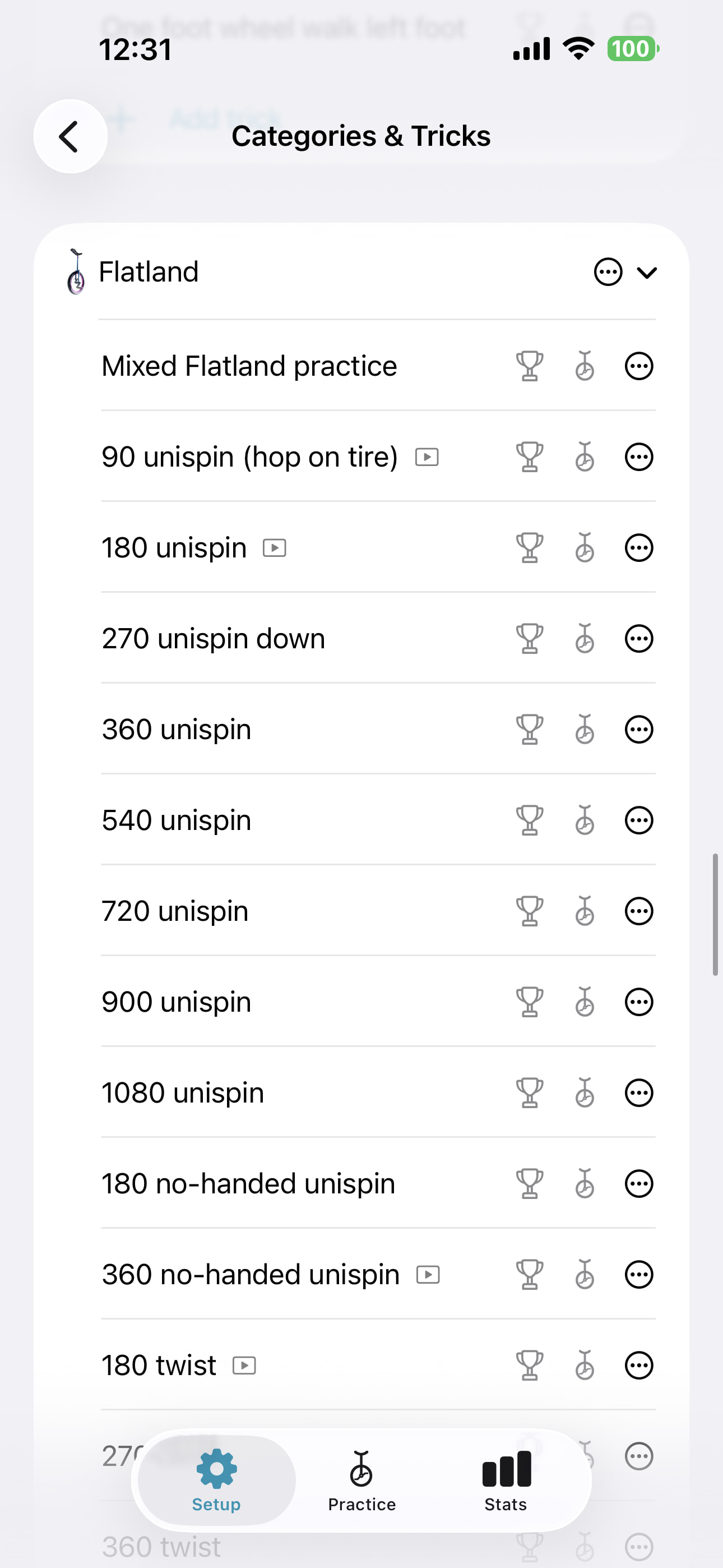
- A big built-in trick catalogue, organized by discipline (Freestyle, Trials, Muni, Track, Flatland, Street, Freewheel, Road, and so on), sourced from the IUF skill levels and skills list. You pick which tricks you’re actively working on and they show up in your own practice list. A trick can be linked to a tutorial video, giving easy access to the tutorial.
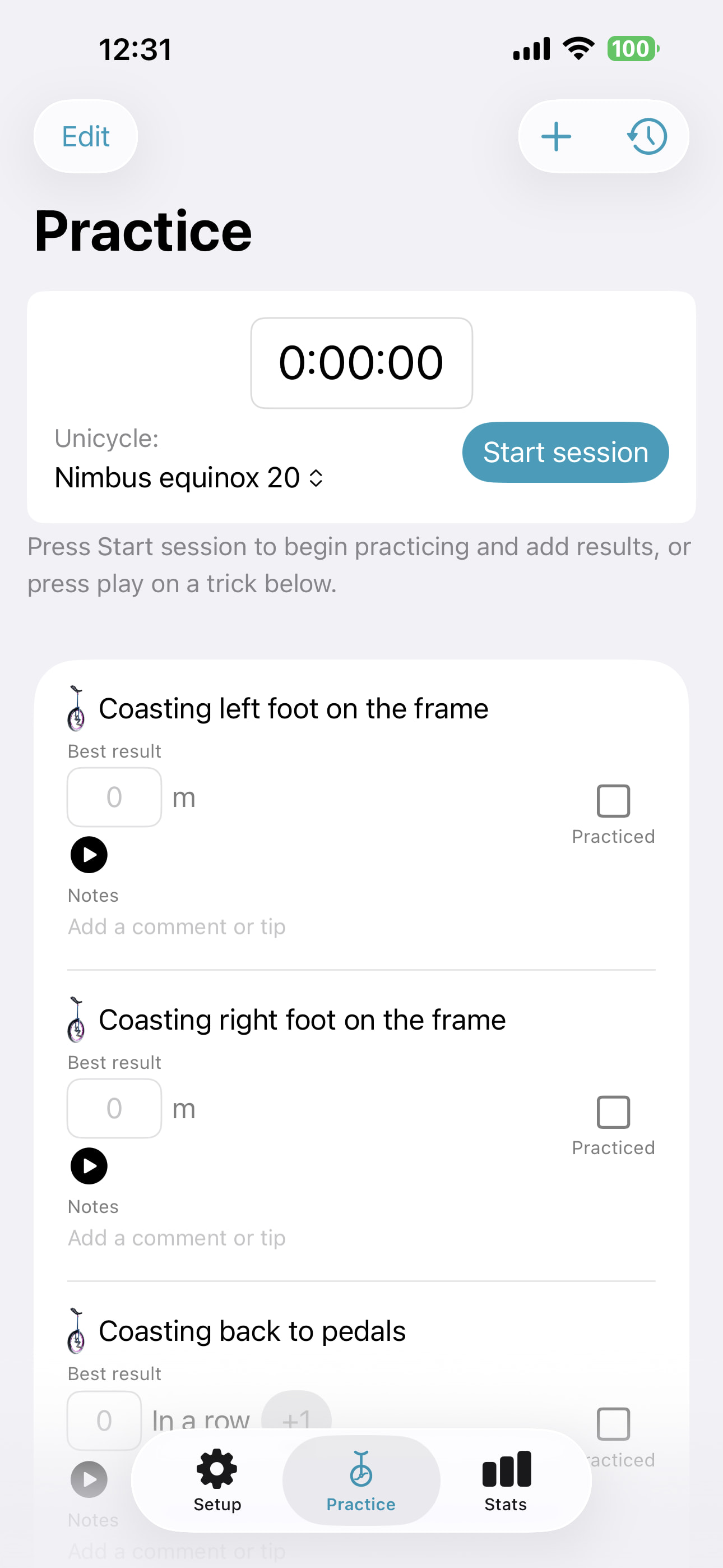
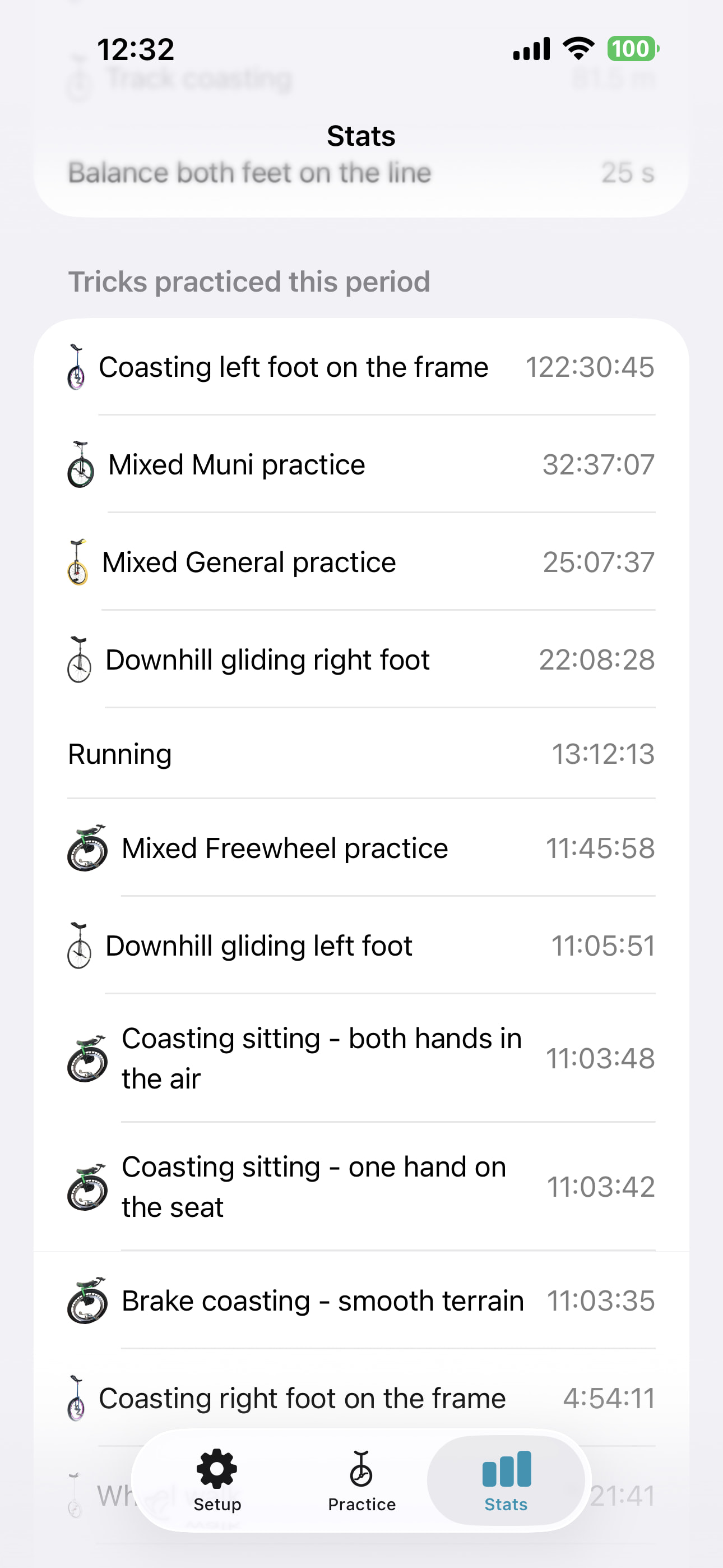
- A live practice session: start a session, and each trick you’re working on gets its own optional timer (so you can see exactly how long you spent on, say, coasting, versus wheel walk), plus a spot to log your result — distance, time, rep count, streak, whatever fits the trick.
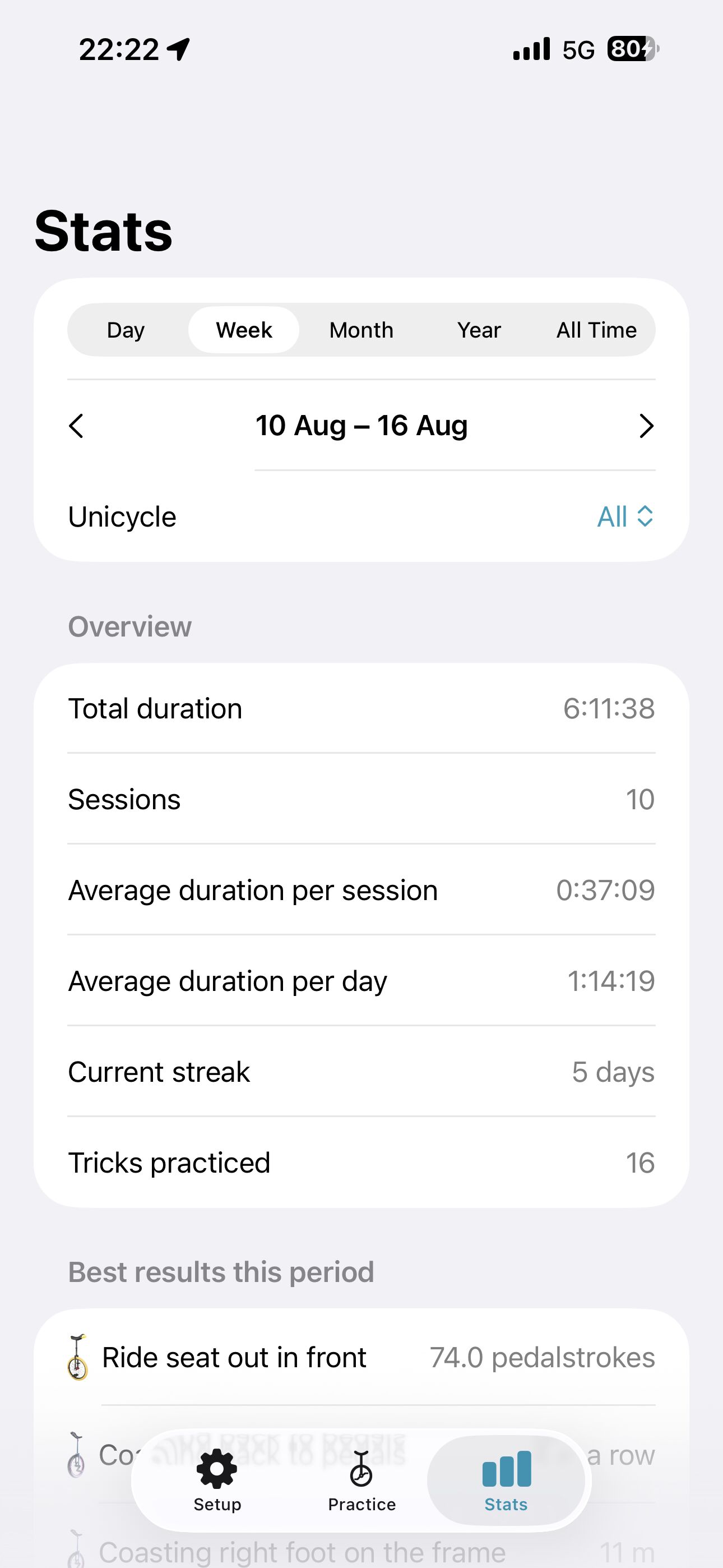
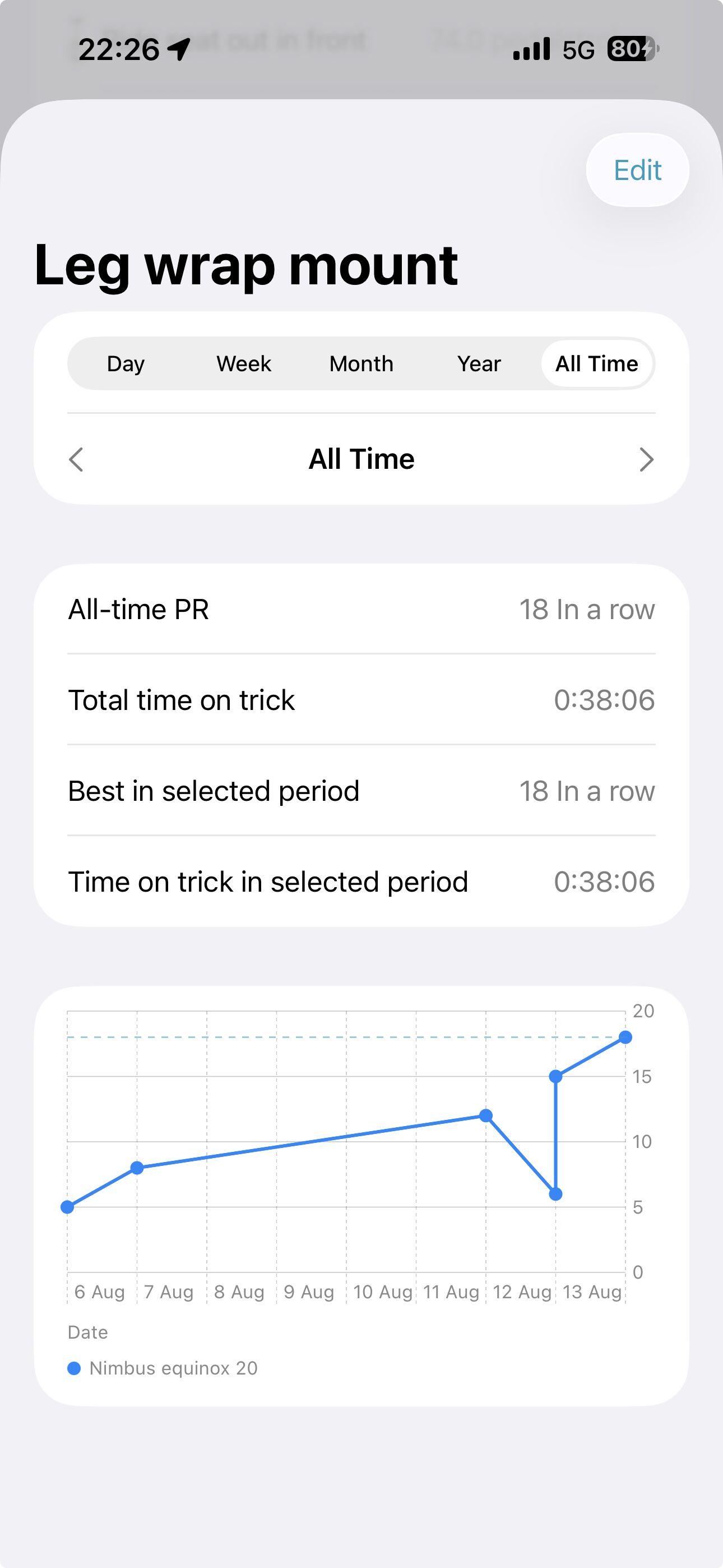
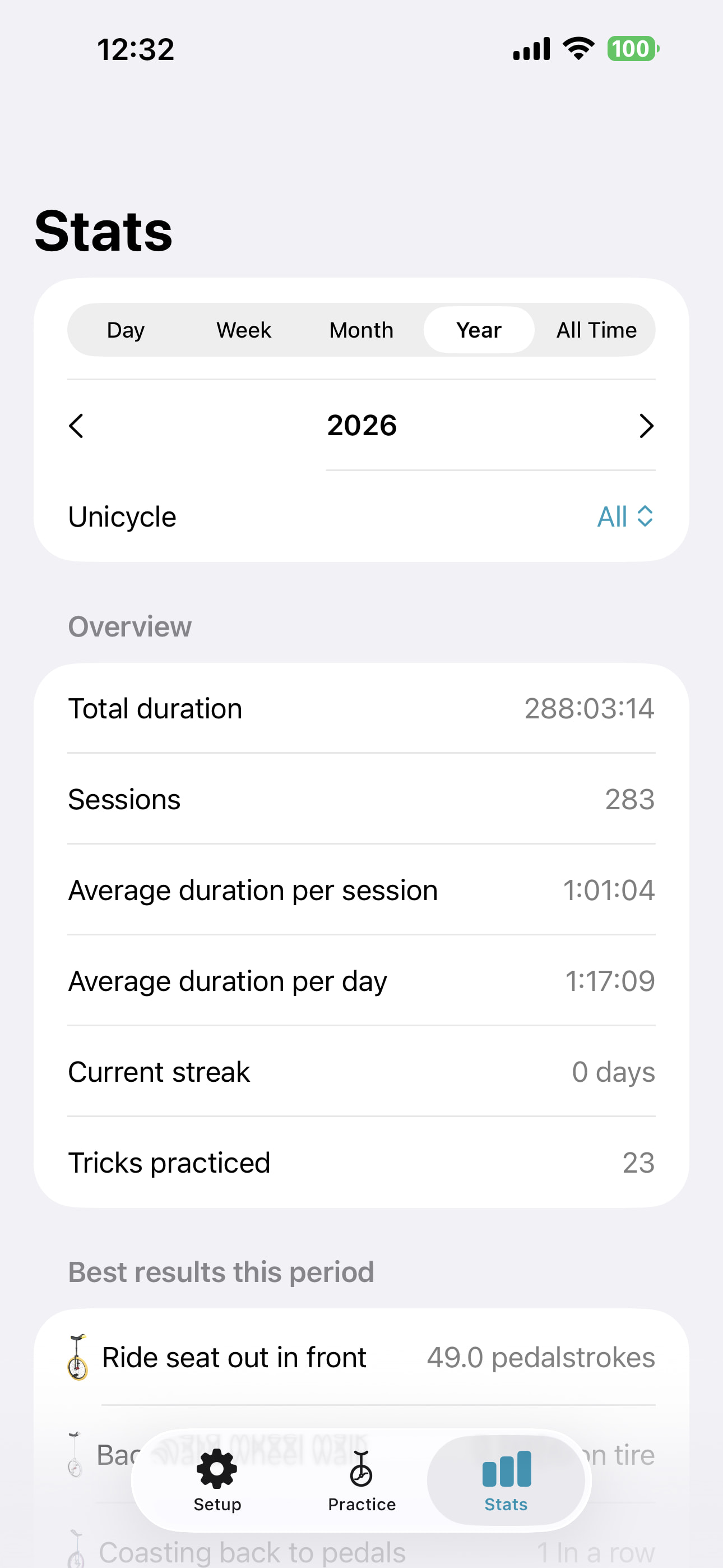
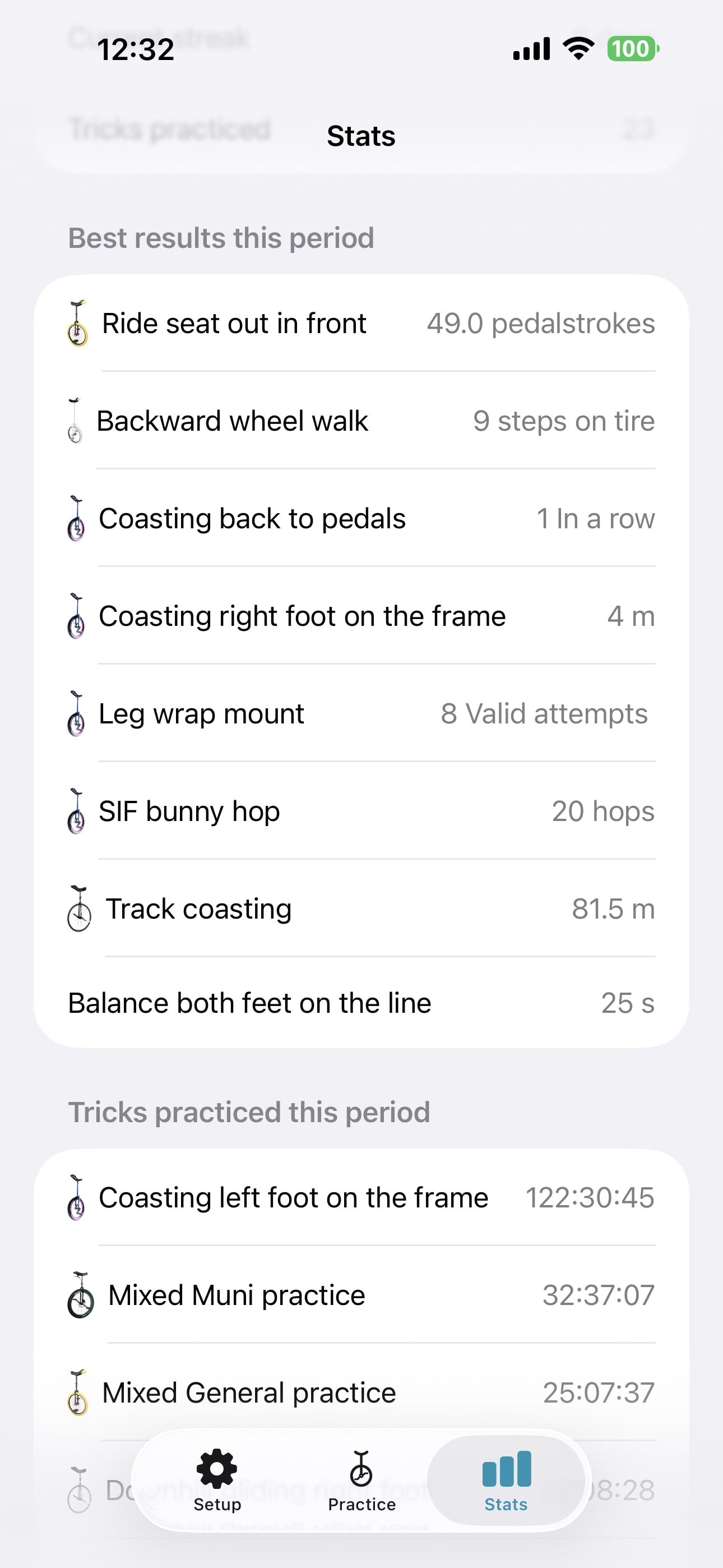
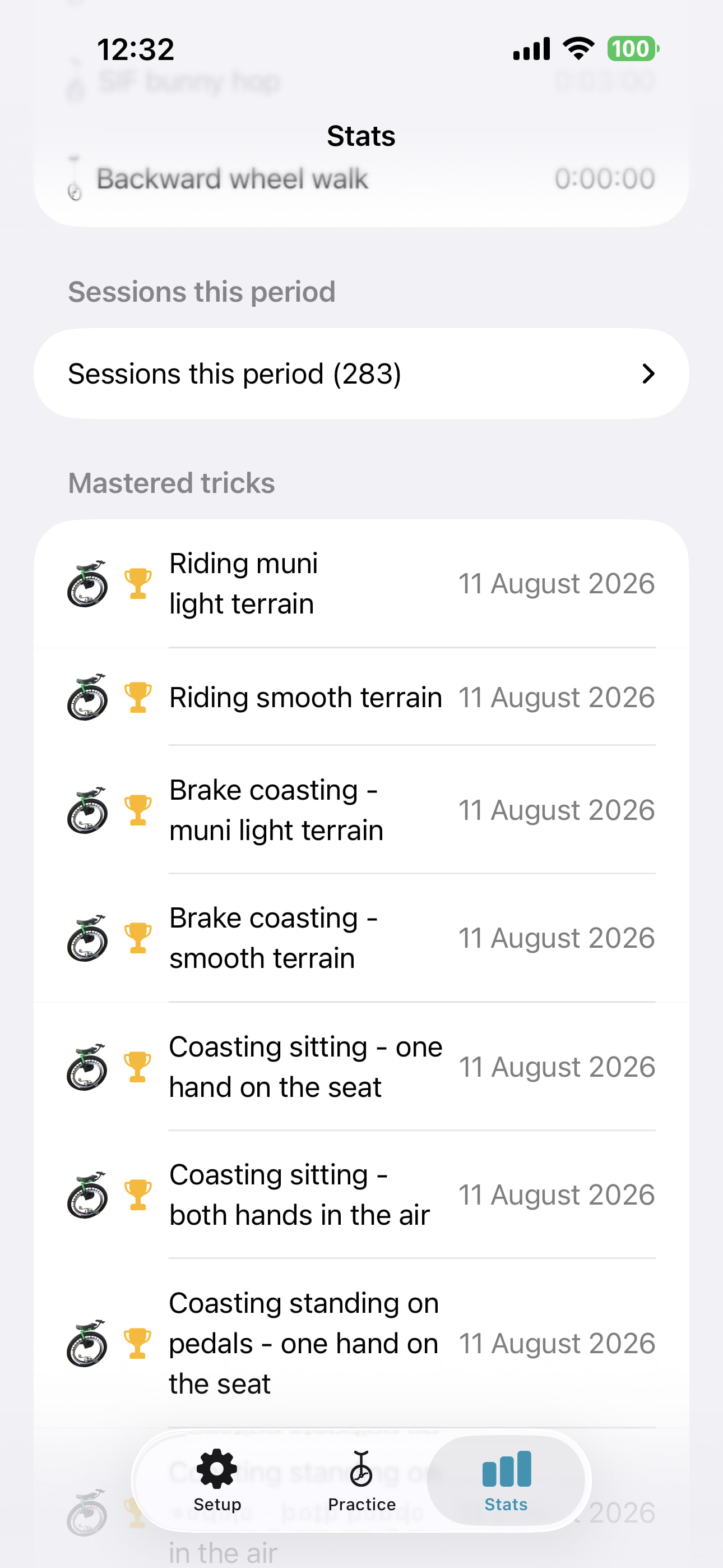
- Stats: best result per trick, total time spent per trick, session history, current practice streak, all sliceable by day/week/month/year, and a graph per trick so you can actually see progress (or lack of it!) over time.
- **Equipment tracking** — your unicycle(s) and their parts (wheel size, tire, cranks, etc.), so your log can be scoped to a specific unicycle if you ride more than one.
- Tutorial links, jumping straight to the relevant moment — for tricks where I’ve found a good tutorial, the trick has a link that opens it directly at the timestamp where that specific trick is actually explained, not just the start of some long video. Only filled in for a subset of tricks so far, but that’s where question 2 below comes in.
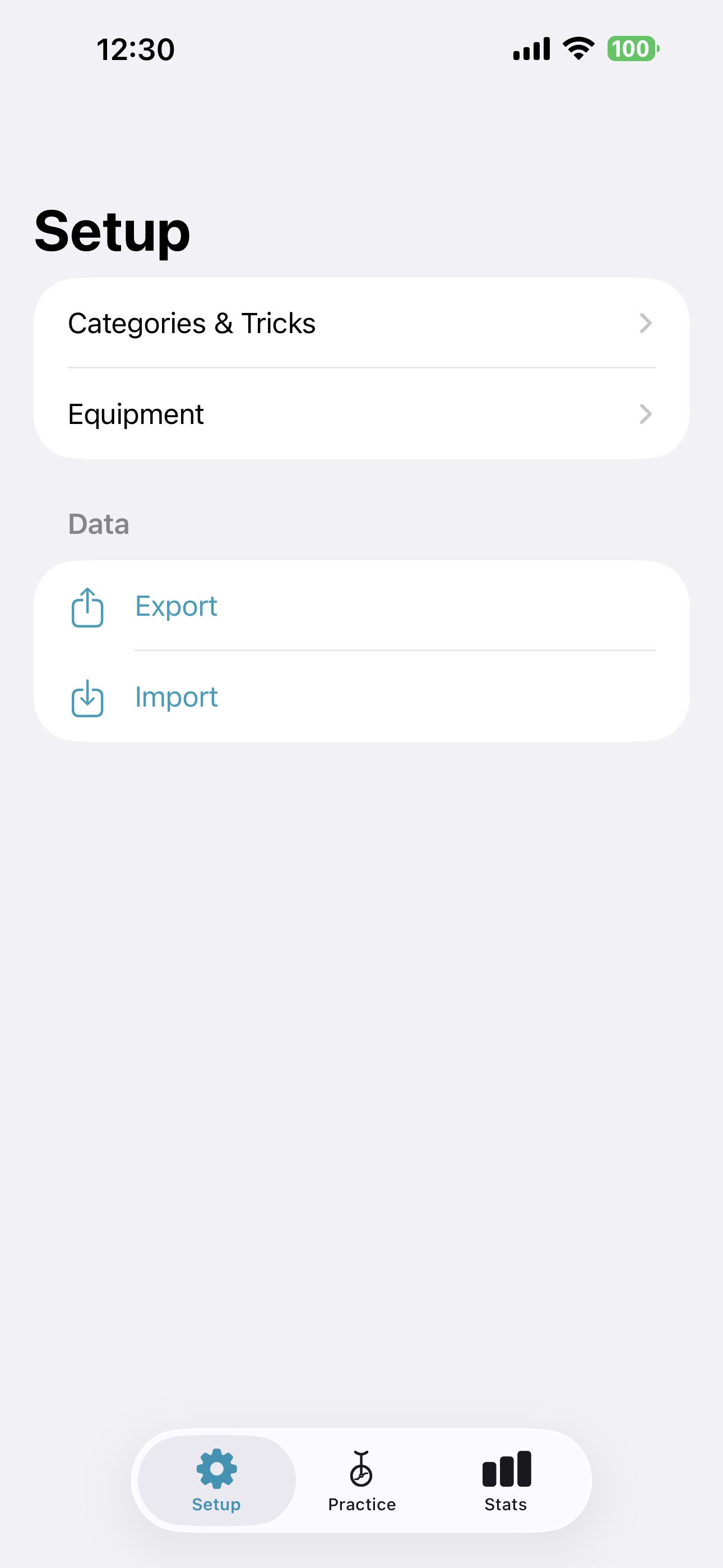
- Export/import to a JSON file, so your UniLog data is portable and backed up.
UniLog is iOS only for now (built with SwiftUI/SwiftData), and very much a personal project I’m actively developing and using myself — screenshots below.
Two things I’d love from this community:
1. General feedback — if UniLog sounds useful to you, what would you actually want from something like this? What’s missing that would make it a real part of your practice routine, not just another log you stop using after a week?
2. YouTube tutorial recommendations — I’ve been learning a lot from Uniquest and especially Finnspin’s “Unicycle Basics” series, which I really can’t recommend enough — clear, well-structured, and genuinely helped me get past a few plateaus. If you have other channels or specific tutorials that helped you with particular tricks or skills, I’d love to hear about them — as mentioned above, UniLog links each trick straight to the moment in a tutorial where it’s taught, so the more good, specific tutorials I know about, the more tricks I can wire up with a useful link instead of none at all.
Thanks for reading, and happy to answer any questions about UniLog!