My guts tell me it could come from the CDN, tho I don’t really know why right now, especially since it was working before… Does the forum still not load after I purged the CDN cache ?
Does the forum work on Firefox or Edge?
@PedalSprell @Eric_aus_Chemnitz can you access the forum now?
I see PedalSprell online: 
1 Like
I might be online, but I can’t access any content! I am still on email reply here. Did you get my reply regarding the EVIL ORB? The same ORB (index:39) still haunts me.
yes, works again
Yes! It works, also from my mobile device! 

I’m trying a last thing, let me know if it happens again.
1 Like
Really? When I wanted to drive home at 16:00, I noticed it didn’t work on my phone. And since then I cannot load it. I tried Chrome, Firefox, Safari on my apple phone. Also an Incognito window just now and it keeps showing loading dots.
Before I also restarted my device, which I can try again, but I don’t expect it to work (It doesn’t  ). From my home computer this runs just fine (Firefox on Windows 11)
Does it work now? I just reverted a security setting.
Firefox (Windows and Android) as well as Vivaldi (Windows) work just fine fo me.
1 Like
yes now it works again for me as well. What security setting was that?
I completely disabled WAF.
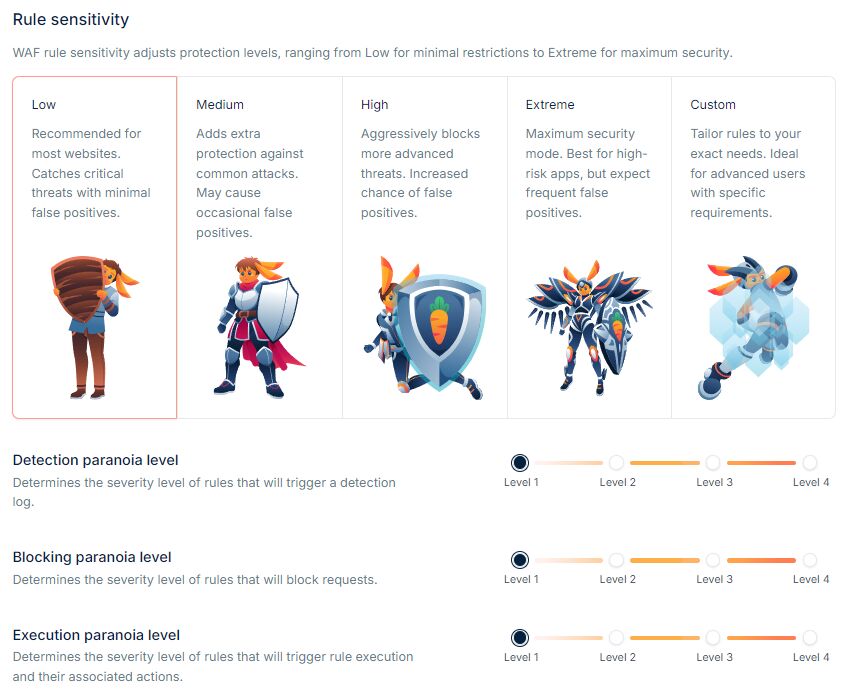
The rule sensitivity was set to Low, which should result in very few false positives, but apparently it doesn’t work as expected, so I just turned it off.
The traffic from the last 24h is OK after blocking the three countries from which the abusive requests were sent from,
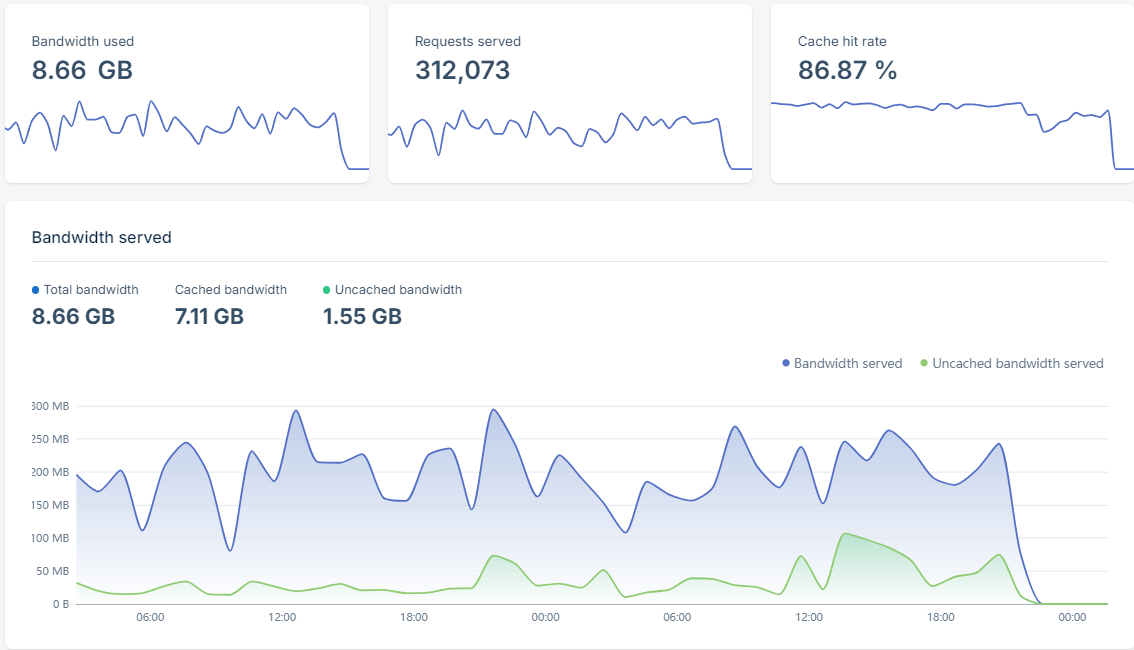
But it’s still fishy. There’s no reason why Chicago should be responsible for 60% of the total requests:
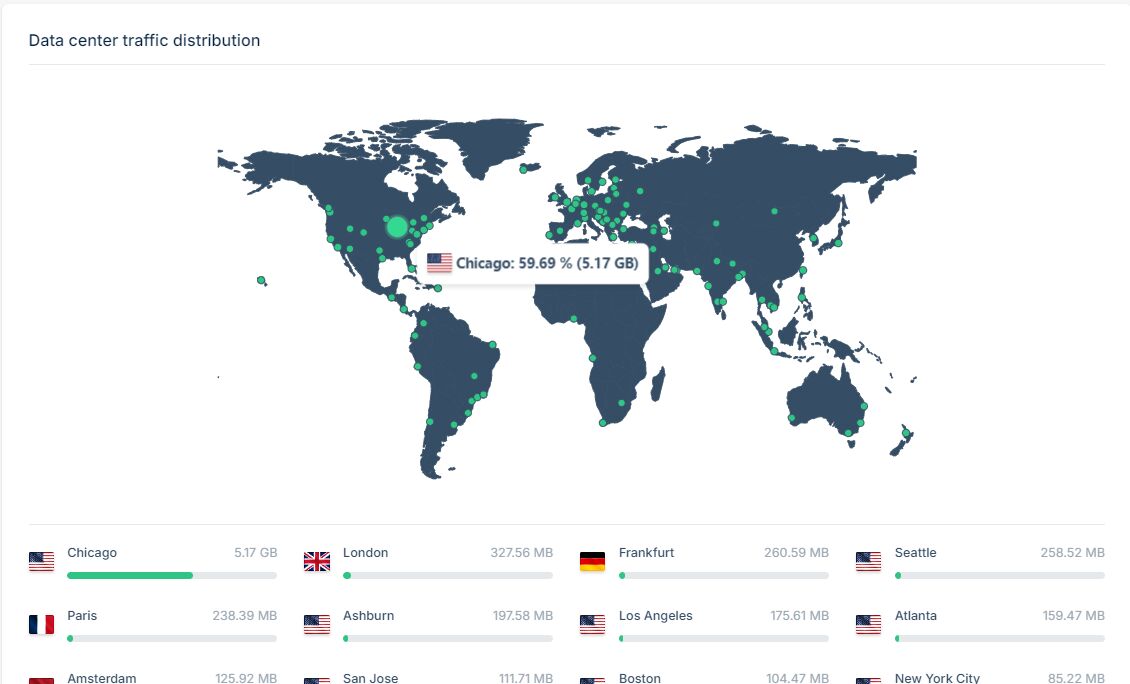
In Chicago everybody is just dreaming about a unicyclist, when the rest of the world actually rides and doesn’t have time to visit the forum so much.
It is quite a big difference. Can’t you see what page is requested the most?
The tools to search in logs aren’t that precise 
Also couldnt load the forum, but now that im at work it works
1 Like
also works at home
I didn’t read the whole discussion so please ignore me if this has already been said: A friend of mine had the same issue in the last couple of month on one of his sites. It turned out to be AI crawlers that ignore robots.txt as usual.
His solution was to put a automatic invisible check whether a request comes from a human by Cloudflare. The costs dropped again immediately.
I’d be happy to use that, but I’m not sure how to set up such protection in the CDN’s configuration.
Also, the WAF rules are overly complicated for a non-tech-savvy person like me. Tweaks would probably allow a certain degree of protection without harming regular users, since the default setting, even at the lowest detection threshold, had too many false positives.
Do you have access to the suspicious request logs? What user agent do these requests come from? This might help with blocking, unless they all pretend to come from Firefox and Chrome.
From what I think I saw in the logs, the user agents don’t have anything specific. I looked at Singapore’s requests.
Default security rules from Bunny couldn’t even stop them after all.
There are no built-in tools to search in the logs, you must download them in CSV files, guess what some numbers are (not timestamp, not IP…  ) since there are no column labels, and try to figure out. I did it quickly and didn’t notice anything weird, but I would not be surprised if there was a detectable pattern.
Guess these logs are meant to be fed into your ELK, Splunk, Datadog, Whatever Stack. Maybe this helps a little with pattern detection?
1 Like